Skip to content
Training · ChatGPT

ChatGPT training for companies: ChatGPT Business, ChatGPT Work and Codex

Colombani.ai's ChatGPT training for companies teaches your teams to work on their own files with ChatGPT Business or Enterprise, with ChatGPT Work, which carries out research or produces a complete deliverable on its own, and with Codex, the agent that handles files, folders and code.

From €1,000 excl. VAT, on quote Updated on

To download: ChatGPT Business deployment kit →

  • Two ChatGPT certifications issued by OpenAI

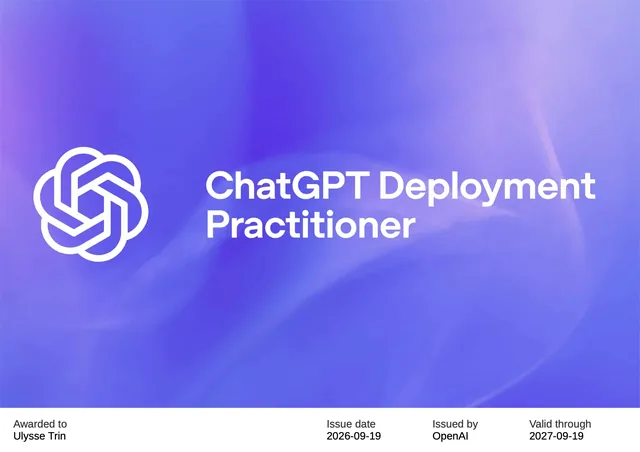
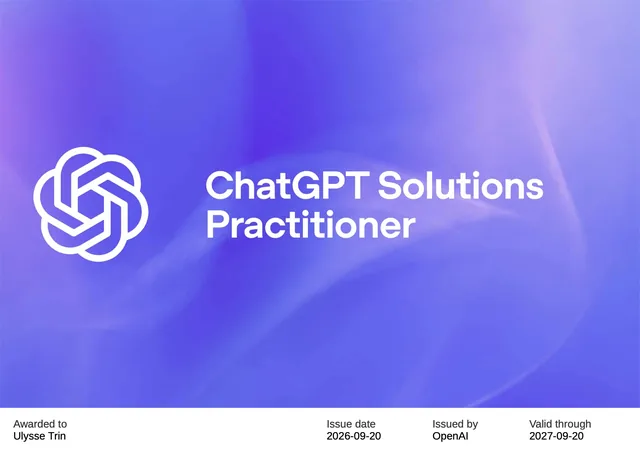
    ChatGPT Deployment Practitioner and ChatGPT Solutions Practitioner, two of the nine practitioner certifications issued by OpenAI to the trainer, Ulysse Trin, in September 2026. They attest the ability to roll out ChatGPT in an organisation, then to design the solution that fits its needs.

    Verify the certification ↗
  • Qualiopi-certified provider

    Certificate QUA009472 for training actions: funding can be requested from your OPCO or the FIF-PL.

    See the certificate ↗
  • Overall satisfaction: 4 out of 4

    Six sessions and fourteen participants, across all programmes, as at 23 September 2026: satisfaction of 4 out of 4, 96% of objectives achieved, 100% recommendation, no dropouts.

    See how it is measured →
  • On-site, anywhere in France

    At your premises or remotely, always in your ChatGPT workspace and on your documents, for one to ten participants per group.

    Training across France →

Colombani.ai's ChatGPT training for companies, from a Qualiopi-certified provider (certificate QUA009472), comprises two programmes: a half-day briefing for leadership, and one day for business teams on ChatGPT, ChatGPT Work, workspace agents and Codex. Each session runs in the organisation's Business or Enterprise workspace, using its own files, and settles the rollout decisions: plan, data, permissions, connected apps, agents. The trainer, Ulysse Trin, holds the ChatGPT Deployment Practitioner and ChatGPT Solutions Practitioner certifications, issued by OpenAI. From €1,000 excl. VAT per half-day and €1,800 per day for an in-company group.

Four terms recur on this page. Custom GPTs, which OpenAI plans to retire on 11 December 2026, are being replaced by plugins, which bring together instructions, reference documents and connected apps. A skill is a reusable set of instructions, contained in a plugin or read by Codex. A workspace agent is a shared assistant that runs a recurring task, at a set time or on demand. Dots, reserved for the Business Premium seat, are agents that work continuously on their own remotely hosted computer.

Rollout in a large organisation

Beyond one or two groups, a ChatGPT rollout runs in waves, on quote: a pilot group on the cases that are ready, then each department from its own tasks; internal leads trained to spread good practice and keep the shared agents and skills up to date; an inventory and migration of team GPTs before their retirement, planned for 11 December 2026; a review on a fixed date at the end of each wave, ending with a decision. Each wave also compares ChatGPT with the tools your teams have already tried, on their own cases.

Discuss a rollout
Programmes by audience

Two audiences, two programmes, in your ChatGPT workspace

Each programme is part of Colombani.ai's Qualiopi catalogue and runs in your organisation's Business or Enterprise workspace, using your teams' documents and processes. The course materials and installation guide are written for ChatGPT.

4 hhalf day
Leadership

Executive briefing

The ChatGPT uses that matter to each of your departments, shown live on your cases; choosing between Business and Enterprise, the data question, the EU AI Act and GDPR framework.

What you receive

  • A summary of the use cases identified during the session
  • The completed AI risk assessment grid
  • A roadmap with your three priority use cases
6 h 30day
Business teams

Working with AI agents

Your teams learn to delegate complete pieces of work to ChatGPT without writing code: research and deliverables with ChatGPT Work, file analysis in Excel and Word, workspace agents for recurring work, Codex for files and folders.

What you receive

  • An agent configured in your ChatGPT workspace for each person's role
  • A personalised getting-started guide (PDF)
  • A method sheet on writing prompts
  • An action plan: three pieces of work to delegate, prompts included
  • A printable security checklist

Codex training, for technical teams

For teams handing their repositories, scripts and code reviews to Codex: the one-day AI agents programme adapted to Codex, with a checking method.

See the Codex training →

AI compliance

For the legal department and the data protection officer: AI system mapping, risk register, impact assessment template and a compliance plan ranked by priority.

See the programme →

Rolling out across an organisation

After the training, a thirty-day activation: your first real tasks, drop-in sessions, a check-in with your internal leads on day seven, then a review with leadership on day thirty, ending with a decision (continue, adjust, extend, pause). If you continue, monthly cycles take over: one day on site and tool development between sessions, with no fixed term.

See the support programme →
OpenAI Academy

OpenAI Academy's free courses, then our sessions on your work

OpenAI Academy offers online courses with free sign-up open to all (source): one track for business roles (Apply AI at Work), one for technical teams using Codex or the OpenAI API (Build with AI), one for leaders driving adoption (Lead AI Adoption). The deployment guide OpenAI publishes for internal champions itself recommends using these courses for the shared foundation, so that internal sessions can address local workflows, policies and adoption barriers (source). We follow that split.

What OpenAI Academy courses cover

  • The basics: giving clear instructions, supplying context, checking an answer.
  • Recurring tasks, broken into steps with review points.
  • Work handed to agents: defining the expected output and its boundaries.
  • An assessment at the end of each course, which earns a badge.

What our sessions deal with

  • Your cases, written in the language of your jobs and ranked by our prioritisation rule.
  • Your workspace: the plan, the apps opened, the agents and the permissions.
  • Your rules: what may be handed to ChatGPT, what must be anonymised, what is prohibited.
  • Your barriers, dealt with on your documents: fear of error, lack of time, overconfidence in the first draft.
  • A review on a fixed date, establishing what has changed and what remains to be done.

We recommend participants take the AI Foundations course before the day, without making it a requirement: the session starts from your documents, not from the course.

Method

Start from real tasks, never from features

Four rules shape our ChatGPT training and support: describe each case as a real task, start with the cases that are ready, check the sources before handing them to the tool, and take measurements from day one.

  1. 01

    A use case is written in the language of the job

    "Summarise documents" is not a use case. "Every Monday, the purchasing manager compares the quotes received against the approved selection grid ahead of the decision meeting, and the buyer reviews the table" is one.

    Each chosen case names who does the work, when, from which sources, and who reviews the result before it is used. That one sentence is enough to decide the plan, the apps to connect and the permissions to open, whereas the name of a feature alone settles none of these questions.

    Two ways of working then need telling apart. In collaborative use, the person works with ChatGPT and keeps control of every step. In a task delegated to an agent, the agent acts on their behalf in other tools: it writes to a file, drafts an email, updates a spreadsheet. The second kind of work only starts with a designated person in charge, bounded actions, confirmation before any write and a regular review of what the agent did.

    Collaborative useTask delegated to an agent
    Who actsThe person, assisted by ChatGPTAn agent, on behalf of an account
    ExampleReviewing a contract against the negotiation playbookEvery Friday, logging the snags from site reports in a shared spreadsheet
    What it requires before startingA data usage rule and a reviewA designated person in charge, a dedicated account, bounded actions, confirmation before writing, a review and someone to alert if something goes wrong
  2. 02

    A ready case beats a spectacular one

    We rank cases on four criteria: value, readiness, risk and fit with the tool. A blocking criterion is never offset by the others.

    Value measures what the case changes for the job; readiness, the state of the sources and permissions; risk, what an unnoticed error would cost; fit, ChatGPT's real ability to do this work in your workspace. An average would hide what matters: a very useful case whose sources are out of reach stays blocked, whatever its score.

    Each case receives one of three decisions: start, prepare or postpone. An average but ready case goes first, because nothing blocks it and it provides the evidence the next case will need. The most visible case is not always the one that goes first.

  3. 03

    A source that exists is not a source that is ready

    Before a case starts, every source it uses must be available, current, approved, maintained and appropriate.

    • Available: the person running the case can reach it, in the connected tool, with their own permissions.
    • Current: the version consulted is the authoritative one, not an old copy left in a shared folder.
    • Approved: its content has been validated by whoever has the authority.
    • Maintained: a designated person answers for it and keeps it up to date.
    • Appropriate: the data usage rule allows it to be handed to ChatGPT.

    Each task also has a designated person in charge, able to suspend it: the person who, after an error, a departure or a rule change, stops the agent or disconnects the app. Their name is on the case sheet before it starts.

  4. 04

    What a rollout measures, and what it does not

    Four separate questions call for four separate measures: usage, quality, compliance and gain. Usage statistics answer only the first.

    Each of these questions has its own source and its own owner. Usage shows in the statistics: who uses ChatGPT, and how often. Quality is judged at review: how many results need correcting, and why. Compliance is checked against the data usage rule and, on Enterprise, in the compliance platform logs. Gains are observed on a task whose duration was measured before the rollout; time saved only becomes a saving when it replaces an expense.

    Measures are therefore set on day one: for each case, the time it takes today, who reviews it and what they correct. Decision thresholds are set the following week, and the day-thirty review compares the position reached with that starting point. A change in usage does not by itself prove the training caused it: the review makes this clear, stating the limit of every figure.

An ongoing engagement with an engineering firm follows this approach: two days of on-site scoping, a rollout plan, training internal leads on ChatGPT and Codex, then a rollout review on a fixed date. The starting rule there is unambiguous: ChatGPT never validates a structural calculation; the engineer checks and signs it.

Rolling out ChatGPT

Rolling out ChatGPT: the decisions to make

Eight decisions shape what your teams will be able to do with ChatGPT. Each is checked against OpenAI's documentation, reread on 28 and 30 October 2026, and settled with you during the briefing or the course.

In short, for leadership

The choice between Business and Enterprise depends on four situations, described below: accounts that follow the directory, conversations to archive, content to store in Europe, tools specific to each department. Before opening access, three rules need writing down: what teams may hand to ChatGPT, who administers the workspace, and what agents may do without confirmation.

01 · Choosing the plan

List prices per user per month, displayed by OpenAI on 28 October 2026 on its pricing page viewed from France, and reread on 30 October. That page does not state whether prices include or exclude tax. Subscriptions are paid by your organisation.

PlanList priceFor whomWhat it allowsWhat it does not allow
Plus€23 per monthIndividual usersChatGPT, ChatGPT Work and Codex with raised usage caps, projects, scheduled tasksNo managed workspace; content may be used to train models unless the user opts out: for personal trials only
Business, Standard seat€21 billed annually, €26 billed monthlyTeams of 2 to 200 peopleChatGPT, ChatGPT Work and Codex; connections to Google Workspace, Slack, GitHub and Microsoft 365; single sign-on (SSO), meaning sign-in with the company account, and multi-factor authentication; SOC 2 Type 2 audit reportNo account sync with the company directory (SCIM), role-based access control, company-managed encryption keys (EKM), compliance logs, IP allowlisting or data residency, meaning storage guaranteed in a chosen region
Business, Premium seat€105 billed annually, €130 billed monthlyHeavy usersFive times the usage of a Standard seat, with no cap per five-hour window, plus dots, agents that keep working continuously on their own cloud computer; can be mixed with Standard seatsThe same restrictions as the Standard seat
EnterpriseCustom pricing, based on credits or tokens consumedOrganisations that must frame and control usageSCIM, EKM, role-based access control, compliance logs, custom retention policies, IP allowlisting, data residency in ten regions, ISO 27001 and 27701 certificationsNo public price; data residency is chosen when the workspace is created

According to OpenAI's Product compliance status page, updated on 4 August 2026, Business is covered by the SOC 2 Type 2 report, while the ISO 27001 and 27701 certifications cover Enterprise, not Business. The ChatGPT Business guide for companies covers the plans, credits and the cost of usage beyond the subscription.

Business or Enterprise: what the choice changes for your organisation

The price grid misses the point. The two plans rest on opposite administration logics: on Business, connected apps are open from the start and the admin closes what they refuse; on Enterprise, new apps stay closed until the admin assigns them to a role, and agents are off by default (source, source). Four situations tip the balance towards Enterprise.

  • Joiners and leavers are managed in your directory

    Without SCIM, Business accounts and groups do not follow the directory: every departure needs an action in ChatGPT. On Enterprise, the directory syncs accounts and groups, and permissions follow the groups (source).

  • What is written must be archived or audited

    The Enterprise compliance platform feeds conversation logs into your eDiscovery, data loss prevention or security monitoring tools. Business lets admins view and export conversations, without that connection (source, source).

  • Your content must stay stored in Europe

    Only the Enterprise and Edu plans offer data residency, chosen when the workspace is created, and, for eligible customers, inference residency (source).

  • Each department needs its own tools

    Enterprise role-based access control opens an app or a model to a specific role. On Business, app availability is set for the whole workspace (source, source).

If none of these situations applies, Business is enough. If data location may become a requirement within the year, settle the question before opening: residency is chosen when the workspace is created.

  1. 02

    The ChatGPT accounts your teams already use

    When staff already use ChatGPT on personal accounts, with no framework, the rollout starts by bringing that use into the organisation's workspace.

    On a personal Plus account, content may be used to train models unless the user opts out in their settings (source), and the organisation does not know what is uploaded there. To bring that use into the Business or Enterprise workspace, each person is invited with the address already tied to their OpenAI account: signing in with that same address through single sign-on keeps their account and history, whereas a different address creates a separate account (source).

    A Business admin cannot force anyone to merge or delete a personal workspace (source). Moving to the organisation's workspace therefore rests on a written rule, explained to teams, stating what may be handed to ChatGPT and what never may.

    What we settle with you: a written usage charter, the list of what must never be uploaded, and the timetable for moving personal accounts into the organisation's workspace.

  2. 03

    Data: training, retention, admin access, location

    Admins can access members' conversations, on Business and Enterprise alike, and only the Enterprise and Edu plans guarantee storage in Europe: what remains is to decide which data your teams may hand to ChatGPT.

    On Business and Enterprise, OpenAI does not train its models on company data unless the organisation explicitly opts in. On Business, workspace admins set the retention period; Enterprise offers custom retention policies (source). A deleted conversation is removed from OpenAI's systems within thirty days, unless retention is legally required or, on Business, needed to protect the service or third parties (source).

    On Business, admins can view, export and delete members' conversations (source). On Enterprise, the compliance platform gives access to conversation message logs, including those of locked chats, to feed eDiscovery, data loss prevention or security monitoring tools; only the workspace owner can grant that permission (source). On both plans the employer can therefore access what employees write: that access requires informing them beforehand and, where one exists, consulting the works council (CSE). The need for a data protection impact assessment (DPIA) should be assessed, along with a data processing agreement (DPA) with OpenAI, available for Business and Enterprise alike (source).

    Location then raises two separate questions, which OpenAI's documentation, reread on 30 October 2026, clearly distinguishes (source). Data residency sets where content is stored at rest: conversations, files, memory, backups included. It is offered at no extra cost to new Enterprise and Edu workspaces, in ten regions, including Europe (European Economic Area and Switzerland). Inference residency sets where answers are computed. More precisely, it localises model execution on GPUs; it is open to eligible Enterprise and Edu customers, in Europe, the United States and the United Arab Emirates, and requires data residency in the same region.

    Neither localises everything. Workspace metadata, user identifiers and billing may be kept outside the region; authentication, request routing and text extraction from PDF or Word files may be processed elsewhere, even with inference residency. Neither covers Codex on the web (the Codex app and its command-line interface are covered), beta features or third-party GPTs. Information sent to an external app, to an MCP server, meaning a connector built on the MCP protocol and often custom-made, or to web search falls under its provider's terms (source). The plan comparison offers neither on Business (source).

    For documents covered by professional secrecy or files entrusted by your clients, European residency does not settle the matter: it sets where data is stored and processed, not the law the vendor is subject to. Two routes remain: anonymising before any upload, or a model installed on your own servers, covered by the Local AI training. For lawyers, notaries and accountants, the AI for regulated professions training deals with professional secrecy.

    What we settle with you: the list of permitted, to-be-anonymised and prohibited data, informing staff about admin access, and the data usage rule handed to every user.

  3. 04

    Identity and permissions

    Who signs in, with which account, and who administers: decide this before inviting the first member.

    Business includes single sign-on (SSO), via SAML or OpenID Connect, after verifying an email domain. SSO governs sign-in, not access to the workspace: invitations and licences are managed separately. The Business plan alone does not include SCIM, which automatically syncs accounts and groups with the company directory; the automatic account creation option can add people who sign in with an address on a verified domain (source).

    SCIM, role-based access control and company-managed encryption keys are Enterprise only (source), and Enterprise can also set which models each role may use (source).

    What we settle with you: who administers the workspace, who builds agents and plugins and who may publish them, before access opens.

  4. 05

    Connected apps: what is on from the start

    On Business, connected apps are on as soon as the workspace opens: letting ChatGPT read or write in the mailbox, files or Teams should follow a decision rather than an initial setting.

    On Business, apps are on by default and the admin sets their availability for the whole workspace; on Enterprise, new apps and plugins stay off until the admin assigns them to a role. For each app, read and write actions are enabled separately, and a setting decides whether actions added later switch on by themselves. A workspace setting decides when ChatGPT asks for confirmation: always, before any change, or only for actions deemed risky (source).

    For Outlook, Teams and SharePoint, a Microsoft Entra administrator grants organisation-wide consent; that consent enables no action in ChatGPT, where each one still has to be switched on. Actions on Google Docs, Sheets and Slides go through the Google Drive app, on for Business and off for Enterprise until the admin opens it. On Enterprise, access can be limited to selected shared drives and Teams teams, and Outlook emails carrying a sensitivity label can be excluded. Custom apps, meaning MCP servers added by the organisation, are not verified by OpenAI (source).

    What we settle with you: what opens on day one and what waits until the end of the pilot project, and the level of confirmation required for each app.

  5. 06

    Workspace agents and the end of custom GPTs

    A shared agent acts on behalf of an account: decide which one, and who may publish it.

    Workspace agents, available on Business and Enterprise, are built in ChatGPT, shared with colleagues or the whole workspace, and run at set times, in Slack or through an API; on Enterprise, they are off by default. For each app, the builder chooses between each user's own account and an agent-owned account shared by everyone who runs it: OpenAI then recommends a service account and warns against using a personal one. Write actions ask for confirmation unless set otherwise, and constraints can restrict an action, for instance sending email only to addresses on one domain. The admin decides who may use, build and publish agents (source).

    OpenAI plans to retire custom GPTs on 11 December 2026, in favour of plugins; Enterprise workspaces with an approved deferral will follow on 11 February 2027, and OpenAI asks each workspace to follow its own notice, as the date may differ. Since 26 October 2026, affected Enterprise workspaces can no longer create GPTs. Migration turns the instructions into a skill within a plugin, adds the connected apps and copies the knowledge files, but carries over neither custom actions, the chosen model nor public sharing settings. Once migrated, the original GPT remains usable until retirement but becomes read-only (source).

    What we settle with you: an inventory of the GPTs your teams rely on, the order of their migration, and the publishing rule for agents, service accounts included.

  6. 07

    Codex in teams: workstations, cloud and enforced settings

    Every plan gives access to Codex: the question is what it may do on workstations and in the cloud.

    Codex is included in every ChatGPT plan, the free plan included with limited access (source); Codex Cloud, which runs work on OpenAI-managed machines, is open to Business and Enterprise accounts depending on workspace settings. The workspace controls workstation use (desktop app, terminal, editor extension) and cloud use separately; on Enterprise, cloud access stays closed until the admin opens it, and creating shared environments needs a separate permission (source).

    Requirements set in a settings file enforced by the admin (requirements.toml) take precedence over workspace settings, which in turn take precedence over each member's choices. Codex activity appears in the Compliance API, which is reserved for Enterprise and Edu workspaces. Codex, ChatGPT Work, ChatGPT for Excel and workspace agents draw on a shared quota and credit balance (source). The Codex training covers the setup for a technical team.

    What we settle with you: the settings enforced on every workstation, whether the cloud is opened, and how the quota is shared between Codex and ChatGPT Work.

  7. 08

    Known limits as at 28 October 2026

    What ChatGPT does not yet allow, worth knowing before you sign.

    • Business offers no residency; on Enterprise, data residency is chosen when the workspace is created, inference residency only localises model execution, and neither covers Codex on the web, beta features or third-party GPTs (source).
    • The Business plan alone allows neither SCIM nor directory-synced groups (source).
    • Custom GPTs are due to disappear on 11 December 2026, unless a workspace has its own deferral, and their custom actions have to be rebuilt (source).
    • Codex's "Record and replay", which turns a demonstration into a reusable skill, excludes the European Union, Switzerland and the United Kingdom at launch (source).
    • Meeting notes (the Meetings plugin) are still in beta and exist only in the macOS desktop app (source).

    What we settle with you: choosing the plan with these limits in mind, rather than discovering them after purchase.

Prepare these settings before the course

One first conversation is enough to agree the plan, the data usage rule and the list of apps to open; the programme and quote follow within two business days.

Lock-in

Switching models tomorrow: what belongs to you

Leadership choosing ChatGPT wants to know what it would keep if it changed tools. We answer at scoping, separating what travels from what has to be rebuilt.

What belongs to you

  • Instructions, written in plain language in your own documents rather than only in a tool's settings.
  • Reference documents, which stay in your SharePoint, Drive or server, where ChatGPT reads them.
  • Skills, in the open SKILL.md format: a folder holding instructions and, where needed, scripts. The format, published by Anthropic as an open standard, is read by Claude as well as by ChatGPT and Codex (source, source).
  • The method: case sheets, review rules and measures, which depend on no vendor.

What has to be rebuilt

  • Workspace agents, their connections and service accounts, which are specific to ChatGPT.
  • Connected app settings and permissions.
  • Conversation history, which Business admins can export (source), but which is not a reusable asset: whatever matters should already be in your documents.
  • Custom GPTs, whose retirement is planned for 11 December 2026: their migration is the moment to extract their instructions.

Exit cost is estimated at scoping: the number of agents to rebuild, apps to reconnect and people to retrain. We keep it low from the design stage: instructions and skills are kept in your folders, each agent has its own sheet, and nothing is built in a format you could not read. Colombani.ai also trains on Claude, Mistral and Microsoft Copilot.

Log

What has changed since September 2026

This log lists ten changes between 10 September and 29 October 2026; each was checked in OpenAI's documentation on 28 and 30 October and chosen for what it changes in an organisation. The log is reviewed every month.

  1. 29 October 2026

    More ChatGPT Work and Codex on the Business Premium seat

    OpenAI increases the ChatGPT Work and Codex usage included in the Business Premium seat, as in Pro subscriptions. Release notes

  2. 26 October 2026

    No new GPTs in affected Enterprise workspaces

    New GPT creation ends in the Enterprise workspaces affected by the retirement. Existing GPTs can still be edited until they are migrated, and used until the workspace's retirement date. OpenAI FAQ

  3. 16 October 2026

    Presentations built and edited together

    ChatGPT Slides creates presentations the team edits together in Space, comments on and exports to PowerPoint, PDF or Google Slides. The rollout covers Business and Enterprise users with Space access. Release notes

  4. 7 October 2026

    GPT-6 in chat, with interactive answers

    GPT-6 becomes the default model in chat and combines text, visuals and interactive elements in its answers. The rollout starts on 7 October on Business and Enterprise; on Enterprise, it depends on admin settings. The models behind ChatGPT Work and Codex do not change. Release notes

  5. 6 October 2026

    Audio file uploads

    A meeting or interview recording can be transcribed, summarised and queried, on paid plans and in workspaces, depending on their settings. OpenAI warns that transcripts may contain errors; the data usage rule should state which recordings may be uploaded. Release notes

  6. 29 September 2026

    Space, Pages and meeting notes

    Space brings together a project's pages, files and work and shares them with the team, on Business and Enterprise; on Enterprise, sharing is an opt-in preview. The Meetings plugin takes meeting notes and deletes the audio once the notes are ready; it is in beta on macOS for Business. Release notes

  7. 29 September 2026

    Dots and Codex Cloud

    Dots, always-on agents with their own cloud computer, reach the Business Premium seat; on Enterprise, they are in beta and off until the admin opens them. Codex Cloud runs coding work in OpenAI-managed environments, subject to the workspace's cloud-access settings. Release notes

  8. 17 September 2026

    ChatGPT in Word

    ChatGPT joins Word, after Excel and PowerPoint, through the same Microsoft add-in, on every plan. Release notes

  9. 11 September 2026

    Custom GPT retirement announced

    OpenAI announces the retirement of custom GPTs in favour of plugins, planned for 11 December 2026 and deferred to 11 February 2027 for Enterprise workspaces granted a deferral. Team GPTs should be inventoried and migrated before then. Release notes, OpenAI FAQ

  10. 10 September 2026

    SharePoint, Box and Dropbox in the ChatGPT file Library

    Files from these three services can be browsed and added without uploading them again, in ChatGPT and in ChatGPT Work, on Business and Enterprise; file permissions and workspace controls still apply. Release notes

Use cases

ChatGPT use cases by role, with a sample prompt

Each case is described as a specific task: who does the work, from which sources, and who reviews the result. Eight of them are collaborative uses, where the person keeps control; the ninth is a task delegated to an agent, which requires more before it starts.

  • Legal · collaborative use

    Before each negotiation, the lawyer checks the supplier contract against the playbook approved by the legal department

    Sources: the contract received, the negotiation playbook and the approved fallback clauses.

    ChatGPT in Word; the playbook and approved fallback clauses are kept in a shared project.

    "Here is the supplier contract open in Word. Compare each clause with our negotiation playbook, list those that depart from it with the relevant article, propose the planned fallback clause and do not change the document."

    Check: the lawyer reviews every deviation before any change to the contract.

  • Law firm · collaborative use

    Before a client meeting, the associate prepares a summary note from the case documents

    Sources: the case documents, anonymised before any upload under the firm's rule.

    A project reserved for the matter, which only receives anonymised documents.

    "Using the attached documents, write a two-page note setting out the facts, the legal questions raised and the points to check, stating for each assertion the document it comes from."

    Check: the lawyer in charge of the matter reviews the note, checks every reference and takes responsibility for its content.

  • Finance · collaborative use

    At each month-end close, the accountant explains the bank reconciliation differences before the controller's review

    Sources: the close workbook, Bank and General ledger tabs.

    ChatGPT in Excel, on the month-end close workbook.

    "In this workbook, reconcile the Bank tab with the General ledger tab, list differences above €500 in a new tab with their likely explanation, and do not change any existing data."

    Check: the controller approves each explanation before any entry is made.

  • HR · collaborative use

    When a position opens, the HR team prepares the job ad and the interview grid

    Sources: the job description approved by the manager and the collective agreement.

    A shared project with memory limited to the project, holding the job description and the collective agreement.

    "Using the job description and the collective agreement in the project, write the job ad, then an interview grid with six observable criteria, and flag any wording that could be discriminatory."

    Check: HR reviews the ad and the grid, and no candidate data is uploaded without a prior rule.

  • Sales · collaborative use

    The day before a first meeting, the salesperson prepares a profile of the target company and their questions

    Sources: the target company's website and public news.

    ChatGPT Work, tasked with browsing the target company's website and public news.

    "Look at this company's website and latest public news, summarise its business in ten lines, suggest three questions for the first meeting and draft an introductory email, without sending it."

    Check: the salesperson checks the facts cited and sends the email personally.

  • Communications and creative · collaborative use

    When a brief arrives, the project lead proposes three campaign angles in line with the client's brand guidelines

    Sources: the brief, the brand guidelines and the client's past campaigns.

    One shared project per client, holding the brief, the brand guidelines and past campaigns; the session compares ChatGPT, on the same brief, with the tools the team has already tried.

    "Using the attached brief and our brand guidelines, suggest three campaign angles with a title and a hook each, adapt the angle I choose into a LinkedIn post and an email, then flag any departure from the guidelines."

    Check: the project lead picks the angle and rewrites the chosen texts, and the brief is uploaded only if the data usage rule allows it.

  • Leadership · collaborative use

    After each leadership committee, the person who chaired it circulates the decisions and actions

    Sources: the committee recording, uploaded to a restricted project.

    An audio recording uploaded to a project reserved for the committee.

    "From the attached recording of the leadership committee, list the decisions taken, the actions with their owner and deadline, and the open points; flag any passage you did not understand."

    Check: the person who chaired the meeting reviews the minutes before they are circulated, as the transcript may contain errors.

  • Technical teams · collaborative use

    Before changing a module, the developer has its architecture explained and a test plan proposed

    Sources: the team repository, with the settings enforced by the organisation.

    Codex, on the team repository, with the settings enforced by the organisation.

    "Read the repository and explain the architecture of the billing module, then propose a plan to add tests for the VAT calculation. Wait for my approval before changing any file."

    Check: the developer reviews the plan, then each change before merging.

  • Project management · task delegated to an agent

    Every Friday, an agent logs in the snag list the issues raised in the week's site reports

    Sources: the reports filed in the project's shared folder.

    A scheduled workspace agent owned by the project manager, connected only to the project folder through a service account and allowed to write to a single spreadsheet.

    "Read the site reports added this week to the project folder, add each new snag to the snag list with the trade package, the date and the report's author, and do not change any existing row. Flag any snag whose trade package is unclear."

    Check: the project manager reviews the added rows every Monday and can suspend the agent at any time; the agent can neither send email nor write anywhere else.

These prompts are starting points: in training, each is rewritten on a real document from your teams, then turned into a workspace agent or a plugin when the work recurs every week. The ChatGPT Business guide for companies covers agents and plugins in detail; for lawyers, notaries and accountants, the AI for regulated professions training deals with professional secrecy and anonymisation.

Price

ChatGPT training prices

From €1,000 excl. VAT per half-day and €1,800 per day for an in-company group; final price depends on group size and length, on quote. ChatGPT subscriptions and credits are paid by the client.

Qualiopi-certified provider, OPCO funding possible

Colombani.ai is a Qualiopi-certified training provider (certificate QUA009472, training provider registration number 11757549975, this registration does not constitute State approval). ChatGPT programmes can therefore be submitted for OPCO funding, or FIF-PL funding for self-employed professionals, subject to the funder's decision. They are not eligible for CPF funding. Colombani.ai prepares the application with you, within the lead time your OPCO sets before the course starts.

Trainer
Ulysse Trin, formateur

Ulysse Trin

Founder of Colombani.ai, holder of the Claude Certified Architect Professional certification issued by Anthropic and of certifications issued by OpenAI

Engineer (Epitech, MSc AI), holder of the Claude Certified Architect Professional certification, issued by Anthropic, and of nine practitioner certifications issued by OpenAI, including ChatGPT Deployment Practitioner and ChatGPT Solutions Practitioner. Consultant, trainer and developer, he uses Claude and ChatGPT daily on client engagements and regularly tests Vibe, Copilot and Gemini to keep up with their changes; his programmes build on cases developed on those engagements.

Claude Certified ArchitectProfessional · Official Anthropic certification. Verify the credentialSee also the nine practitioner certifications issued by OpenAI →
Further reading

Our detailed guides to ChatGPT

FAQ

Frequently asked questions about ChatGPT training

Another question? Book a call →
What is ChatGPT training for companies?

ChatGPT training for companies teaches a team to use ChatGPT on its own files, in the organisation's Business or Enterprise workspace and under its data usage rules. At Colombani.ai, it takes the form of a half-day briefing for leadership or a one-day course for business teams, both described at the top of this page.

How much does ChatGPT training for a company cost?

From €1,000 excl. VAT per half-day and €1,800 per day for an in-company group; final price depends on group size and length, on quote.

How can a company learn ChatGPT?

On its own files and in its own workspace: each case is described as a real task, with its sources and the person who reviews it, then carried into daily work up to a review on a fixed date establishing what has changed.

Are there free ChatGPT courses for companies?

Yes: OpenAI Academy offers free online courses, open to all after sign-up, which make a good shared foundation. They settle neither the plan, nor the apps opened, nor your organisation's data usage rule: those questions are what our training deals with.

What is ChatGPT Business?

ChatGPT Business is OpenAI's plan for teams of 2 to 200 people: a managed workspace, ChatGPT, ChatGPT Work and Codex, single sign-on and connections to Google Workspace, Slack, GitHub and Microsoft 365. Connected apps are open from the start: the admin closes the ones they refuse.

ChatGPT for business: which plan for an organisation?

Two OpenAI plans are aimed at organisations: Business, for teams of 2 to 200 people, and Enterprise, with custom pricing. A personal Plus account is not a business plan: it gives access to no managed workspace, and its content may be used to train models unless the user opts out.

How much does ChatGPT Business cost?

As at 30 October 2026, OpenAI's page, viewed from France, shows the Standard seat at €21 per user per month billed annually, or €26 billed monthly, and the Premium seat at €105 billed annually, or €130 billed monthly, without stating whether prices include or exclude tax. List prices to recheck before any purchase.

Can ChatGPT training be funded by an OPCO?

An application can be made: Colombani.ai is Qualiopi-certified (certificate QUA009472). Funding is requested from the company's OPCO, or from the FIF-PL for self-employed professionals, and the decision rests with the funder. The programmes are not eligible for CPF. Colombani.ai prepares the application with you.

How long does ChatGPT training last?

Half a day for the executive briefing, one day for business teams. Both programmes can be combined within one organisation, on separate dates. With funding, the time between enrolment and the session depends on the OPCO, which must be approached before the course starts.

Is the training on-site or remote?

Your choice: on-site anywhere in France, or remote. It is delivered in-house, for one to ten participants, so that the work happens in your ChatGPT workspace and on your real documents.

What happens to our data in ChatGPT?

On Business and Enterprise, OpenAI does not train its models on company data unless the organisation explicitly opts in. A deleted conversation is removed within thirty days, unless legally required. Admins can access members' conversations, directly on Business and through the compliance platform on Enterprise: employees must be informed beforehand, and the works council must be consulted where one exists. The course sets permitted data and prohibited data in the first hour.

Does our data stay in Europe?

Only with the Enterprise and Edu plans, and two guarantees need telling apart. Data residency guarantees storage at rest in Europe (European Economic Area and Switzerland); it is offered at no extra cost to new workspaces. Inference residency, meaning where answers are computed, can be added for eligible customers. Neither localises everything: authentication, routing, some metadata and information sent to an external app may leave the region. Business offers neither.

ChatGPT Business or Enterprise: which one?

Business is enough as long as none of the four situations described under "Rolling out ChatGPT" applies to you: accounts that must follow the directory, conversations to archive, content to store in Europe, tools specific to each department.

What happens to our custom GPTs?

OpenAI plans to retire them on 11 December 2026, in favour of plugins, or on 11 February 2027 for Enterprise workspaces granted a deferral; the notice shown in each workspace prevails. Migration turns the instructions into a skill and copies the files, but carries over neither custom actions nor public sharing settings, and the original GPT becomes read-only. The course devotes an exercise to migrating a team GPT.

Is Codex part of ChatGPT Business?

Yes, as in every ChatGPT plan, and Codex Cloud is open to Business workspaces depending on their settings. Technical teams will find their programme in the Codex training.

Can ChatGPT and Microsoft 365 Copilot coexist?

Yes. ChatGPT Business connects to Outlook, Teams and SharePoint through apps the admin enables, after organisation-wide consent from a Microsoft Entra administrator, and ChatGPT is available in Word, Excel and PowerPoint through a Microsoft add-in. The two tools are administered separately: the data usage rule must cover both. Colombani.ai also trains on Microsoft 365 Copilot.

What is the difference between ChatGPT and Claude for a company?

Both cover conversation, work on files and code: ChatGPT Work and Codex at OpenAI, Cowork and Claude Code at Anthropic. For an organisation, the differences lie mainly in the plans and administration: seats, retention, connected apps, data location. Colombani.ai trains on both tools, and the executive briefing compares them on your cases before any purchase. If your teams already use ChatGPT, there is no need to switch.

How can we avoid depending on ChatGPT?

By keeping instructions, sources and skills in the open SKILL.md format in your own folders; ChatGPT and Codex read them, as Claude does. The rest, specific to ChatGPT, gets rebuilt, and that exit cost is estimated at scoping.

How do you measure the results of a ChatGPT rollout?

Through four separate measures, taken from day one: usage, quality at review, compliance with the rules and the gain on a task timed before the rollout. The day-thirty review compares the position reached with that starting point.

What are the prerequisites?

None for the executive briefing, as the trainer runs the demonstrations. For business teams, each participant works in the organisation's Business or Enterprise workspace, not on a personal Plus account, and receives an installation guide three days before.

Which certifications does the trainer hold?

ChatGPT Deployment Practitioner and ChatGPT Solutions Practitioner, two of the nine practitioner certifications issued by OpenAI to the trainer, Ulysse Trin, in September 2026, verifiable online. The trainer also holds the Claude Certified Architect Professional certification, issued by Anthropic.


Receive the programme and a quote

Tailored programme and quote within two business days.

Train your teams on ChatGPT

Describe your teams, the plan chosen or under consideration and your use cases: programme and quote within two business days, or a call at a time that suits you.